Grim Dawn Transmog Reset: How Illusion-Be-Gone Removes Armor Cosmetic Effects
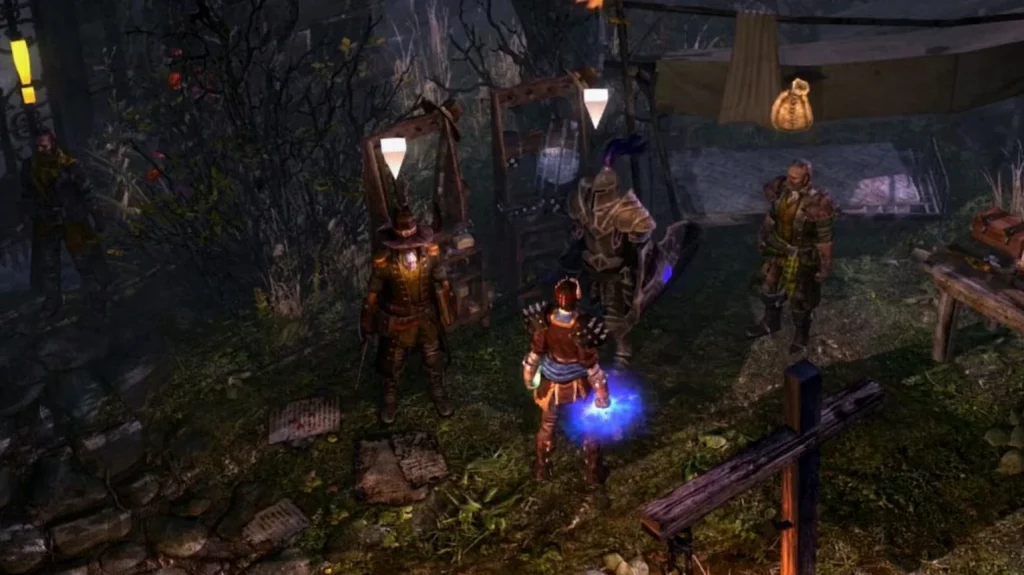
In Grim Dawn, the transmog system is tied to a consumable called Illusion-Be-Gone that lets you wipe any cosmetic “illusion” effect off your armor and return pieces to their original look. If you’ve applied the wrong appearance (or need to correct a visual issue), you can grab bottles directly from specific NPCs near Devil’s Crossing—and you can also rework your cosmetics by using an Illusionist in hub areas.
Key takeaways
- Illusion-Be-Gone clears transmogrification effects on armor, restoring items to their default appearance.
- Bottles are obtained by speaking to Kory the Keeper or Lancel the Knight outside the gate in Devil’s Crossing.
- Those NPCs can provide unlimited bottles, but you can only carry one bottle at a time.
- Illusions are applied per item (not per slot), so removing or replacing gear will remove the illusion from that piece.
- Applying an illusion costs Iron Bits, including illusions unlocked via Supporter Packs.
Where to get Illusion-Be-Gone
You can find the relevant NPCs right outside the Devil’s Crossing gate: Kory the Keeper and Lancel the Knight. Speak to either one and select the dialogue option “I tire of these illusions” to receive a bottle of Illusion-Be-Gone.
Kory and Lancel are the only characters in the game that can provide Illusion-Be-Gone, and they’re only located in Devil’s Crossing. In practice, that means you can ask for a bottle as often as you need, but there’s one inventory constraint: you can only have one bottle of Illusion-Be-Gone at a time. The item also can’t be sold.
How to use Illusion-Be-Gone
To remove an applied transmog/illusion, right-click Illusion-Be-Gone in your inventory, then left-click the armor piece you want to reset. The effect works on any class.
Beyond normal use, the item is also relevant if you’re dealing with the game’s occasional visual problems—since some issues may require adjusting assets, having a reliable way to clear cosmetic effects can help you correct what you’re seeing.
How Grim Dawn’s illusion (transmog) system works
Illusions in Grim Dawn function as transmogrification: they change the appearance of equipment without changing its stats. To apply illusions, you’ll need to visit an Illusionist in hub areas. Devil’s Crossing has one inside the settlement, located just past the gate near the Devil’s Crossing reputation vendor.
A key detail is that illusion application is per item rather than per slot. If you remove a piece of armor and equip a different one, the illusion does not carry over—you’ll need to apply the illusion again to the new item.
Applying an illusion also costs Iron Bits. This cost still applies even if the illusion was unlocked through Supporter Packs, which means recurring Iron Bit spending can become a factor when you’re experimenting with different looks.
When to start using illusions
It’s generally best to begin using the illusion system after you’ve progressed far enough that gear changes slow down. Around level 60 is suggested as a good point because you’re less likely to constantly replace armor. Once you’ve found a cosmetic setup you like, you can usually stick with a single transmog loadout for a long time, only changing it when you decide to swap gear or appearance again.