Palworld 1.0 Meteorite Fragment: Find the Impact Site in the Limited Event
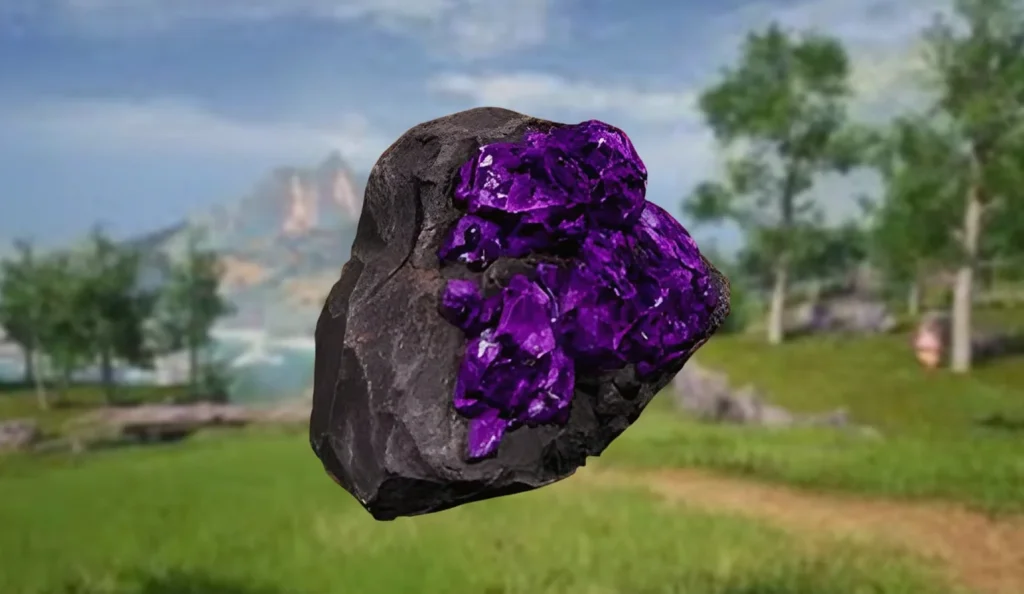
Meteorite Fragments are among the rarer crafting materials in Palworld 1.0, and they’re tied to a limited-time dynamic event rather than normal mining. If you want consistent access to late-game weapons, ammunition, and exclusive Pal gear, you’ll need to understand when the meteor event runs, how to locate the impact site quickly, and what to do when the event spawns an aggressive threat.
Release timing and availability
Palworld 1.0 includes Meteorite Fragments and the “Falling Meteor” dynamic event that drops them. By default, the event triggers every 2.5 to 3 hours of real time. This timing can be adjusted per-world in the Save File’s Gameplay/World settings, including reducing the interval significantly.
| Platform | Status | Date / window |
|---|---|---|
| Palworld 1.0 | Available | Included with the 1.0 release |
| Falling Meteor dynamic event | Scheduled by default | Every 2.5–3 hours (real time) |
| Meteorite/Supply Drop interval setting | Adjustable in-world | Default 180 minutes; can be set down to 1 minute |
How Meteorite Fragments drop in Palworld 1.0
Players obtain Meteorite Fragments from the “Falling Meteor” dynamic event. When the event begins, it’s announced on-screen via a red-lettered prompt. An icon of the falling meteor also appears on the HUD compass, pointing you toward the drop location so you can reach the fall zone and mine the meteorites.
Defend the drop: Xenovader and event interference
Mining isn’t risk-free. Meteorites are protected by Xenovader, an aggressive alien Pal, along with additional forces that want the same material. Defeating Xenovader can also grant Meteorite Fragments, making combat part of the farming loop—not just the mining.
There’s also a practical navigation problem: the Meteor Fall event uses the same HUD icon as the Supply Drop event (“Falling Meteor”). Because events can occur independently of your actions, unclaimed meteor impacts or supply drops can leave icons on the map that may pull you toward the wrong objective if you’re not paying attention.
Best way to build a steady supply
For more reliable long-term output, the approach described centers on capturing and breeding Xenovader, then using the Pal Dissassembly Conveyor afterward. That combination is presented as the most dependable method to maintain a steady Meteorite Fragment supply rather than relying only on each meteor impact you personally reach.
Increasing how often Meteorite events happen
If you want more frequent Meteorite Fragments, you can change the Meteorite/Supply Drop interval from the world settings. The steps are:
- Open the Main Menu and enter the save file.
- Select “Change World Settings.”
- Choose “Custom Settings.”
- Find the option labeled “Meteorite/Supply Drop interval.”
By default, that interval is set to 180 minutes (3 hours) of real time, but it can be lowered as far as 1 minute. The trade-off is risk: the guidance warns that setting the interval too aggressively can lead to crashes if the relevant nodes (meteor/supply drops) aren’t cleared often.
Player impact and what’s still unclear
For players trying to reach late-game crafting goals in Palworld 1.0, Meteorite Fragments add a real scheduling element: you’ll either plan around the event timer or adjust world settings to increase event frequency. The most immediate impact is that route planning matters—missing a “Falling Meteor” prompt or chasing the wrong icon (meteor vs. supply drop) can waste time and slow your progression.
What remains less defined from the available details is the exact relationship between event frequency changes and how reliably drops scale over longer sessions. The interval can be reduced dramatically, but the only explicit limitation given is the potential for crashes when nodes aren’t cleared frequently.